Private On-Device Passport Photo App

Create passport and visa photos on your iPhone.

Choose a document preset, adjust the photo, review checks, and export digital or print-ready files directly on iPhone. Processing stays on device. One-time purchase. No subscription.

  • 100% on-device photo processing, no server upload
  • One-time purchase, no subscription, no ads
  • Checks for size, background, eye height, margins, centering, tilt, and sharpness
  • Supports digital export and 4x6, A4, and Letter print layouts
IDPhoto Pro document preset screen
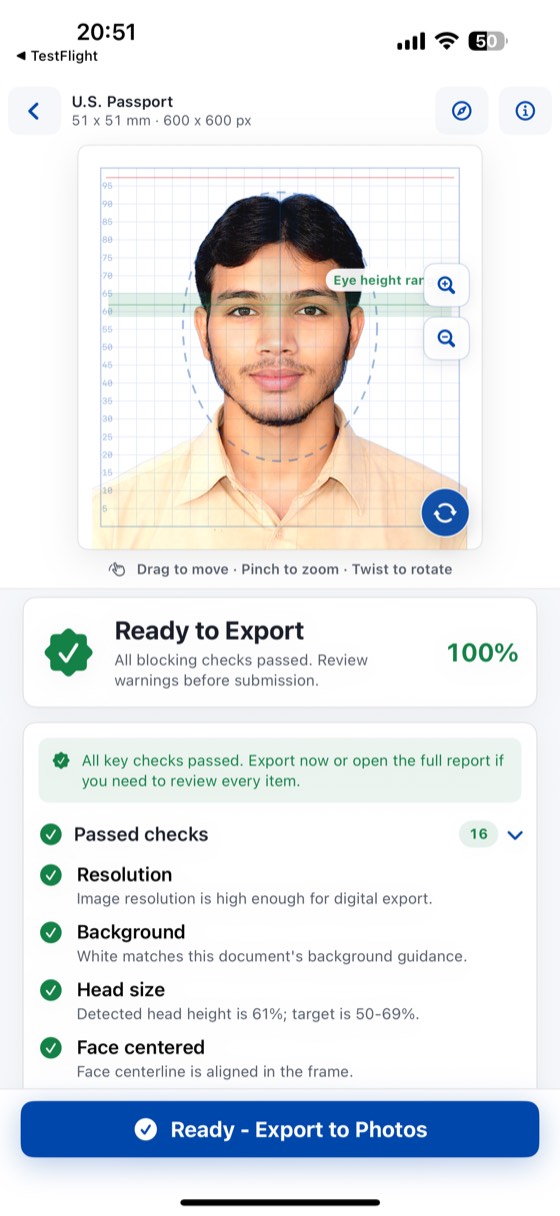
IDPhoto Pro editor screen

How it works

It is not just a cropper. It is a document-photo workflow.

01

Choose a document preset

Start with a country and document preset instead of guessing dimensions, ratio, and framing.

02

Adjust the photo on iPhone

Use AI auto calibration or manually refine position, zoom, rotation, brightness, sharpness, and background directly on iPhone.

03

Export digital or print-ready files

Export a digital file for upload, or generate a print layout when you need a physical copy.

Inside the app

These screens match real app features

Preset Library

Multi-country, multi-document preset support

The app includes a multi-country document photo preset library, not a single 2x2 cropper. Users can filter templates by country, passport, visa, immigration, residence card, ID, and print use cases.

Spec Detail

Review size, background, and notes before editing

Each spec screen shows size, pixel target, background options, and source notes before editing begins.

IDPhoto Pro spec details

Editor

AI auto calibration with manual fine control

The editor calibrates against the selected country and document size, ratio, and framing guidance, then uses multiple scoring checks to surface risk. Users can still manually adjust position, zoom, rotation, lighting, sharpness, background, and output.

Checks

Smart checks surface every small issue before export.

With document photos, the real concern is usually not style but whether the file is likely to pass review. IDPhoto Pro checks the selected country and document type on device, then reviews framing, background, and image quality before export.

  • Selected country and document size
  • Final photo aspect ratio
  • Pixel resolution for export
  • Allowed background color
  • Background cleanliness and shadow risk
  • Head height ratio within target range
  • Top margin too high or too low
  • Chin-to-bottom spacing balance
  • Eye height within target range
  • Horizontal face centering
  • Vertical head position
  • Visible head tilt
  • Both eyes visible
  • Eyes open enough for document use
  • Possible hat or head covering risk
  • Face sharpness and clarity
  • Brightness, contrast, shadow, and warmth risk
  • Overall score and failed-item summary before export
IDPhoto Pro smart check score and issue summary

Export

Export in multiple file formats and print layout sizes

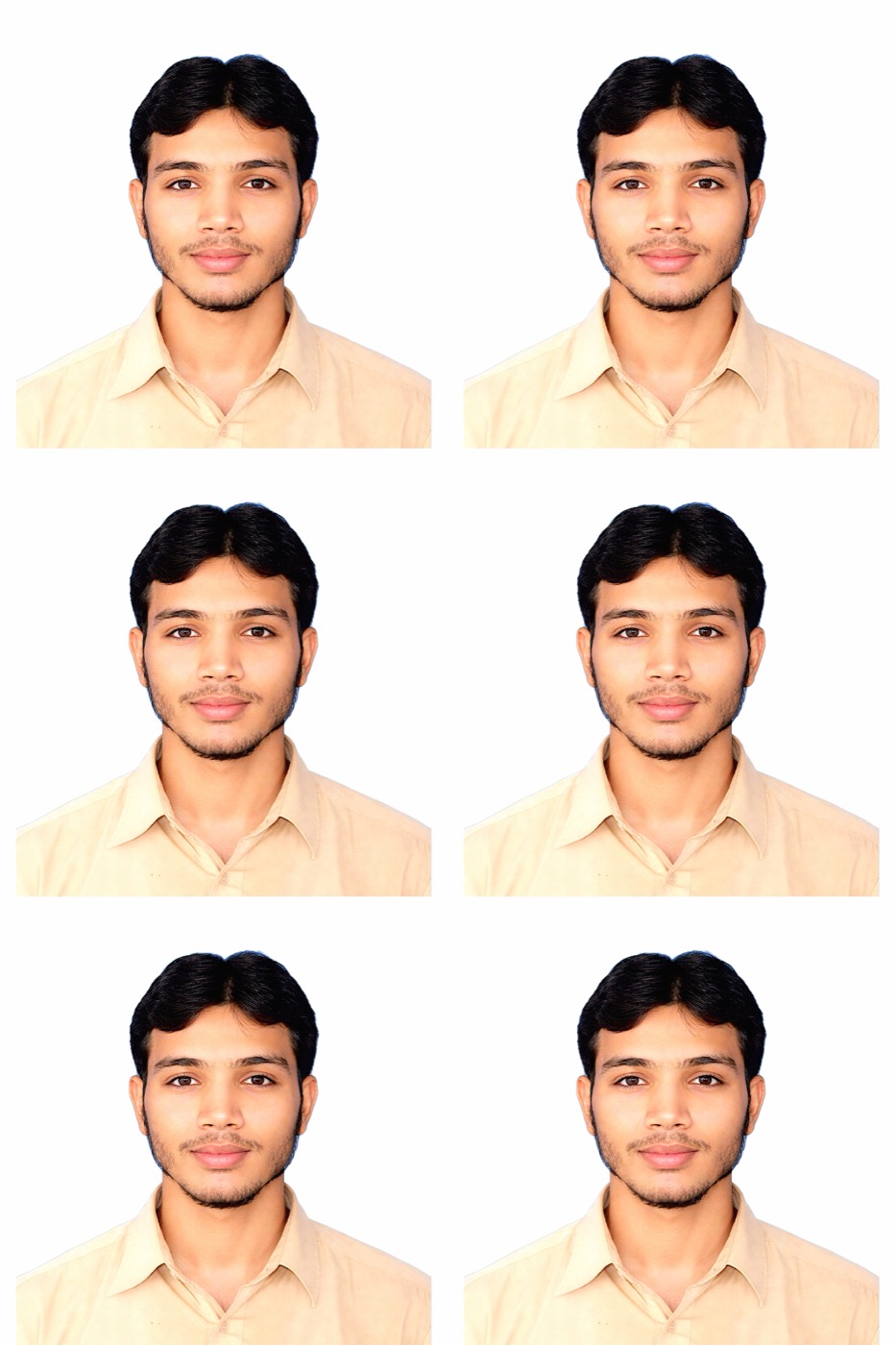
After editing, export a digital file for upload or a print-ready sheet for photo labs. IDPhoto Pro supports JPG, PNG, HEIF, PDF, and common 4x6, A4, and Letter layouts.

  • JPG, PNG, HEIF, and PDF
  • 4x6, A4, and Letter print layouts
  • Save to Photos, share, or export files

Exported Result

IDPhoto Pro four-photo print layout export result

Purchase

Check first, then decide whether to unlock export

The app is not subscription-based. People can review the photo first, understand the checks, and pay once they are ready to export the final file.

  • One-time purchase
  • No subscription
  • No ads
  • On-device processing with no server upload

Download

iPhone download now, Android later

If someone opens the site on desktop or tablet, they can still jump straight to the App Store by scanning the QR code. When Android is ready, the second slot is already reserved.

Generating QR...

iOS download QR

App Store

Available on the App Store

View IDPhoto Pro screenshots, feature details, and download options on the App Store. The app focuses on on-device processing, smart checks, AI calibration, official-size presets, digital export, and print layouts.

IDPhoto Pro App Store listing title and screenshotsIDPhoto Pro App Store listing feature preview